
Description
- Enterprise-class universal docking
- Supports ThinkPad RapidCharge
- Works with older Lenovo and non-Lenovo laptops
- ThinkPad Hybrid USB-C with USB-A Dock
- USB-C to USB-A adapter cable
- 90 W AC adapter
- Setup poster
- Warranty poster
Techwings Store
Techwings Store
Techwings Store
Techwings Store
Techwings Store
Techwings Store
The ThinkPad Hybrid USB-C with USB-A dock expands the capabilities of most any laptop, new or old, making it perfect for enterprise customers with mixed-PC or shared-desk environments. Featuring enterprise-class manageability, like PXE boot and MAC address pass-through, the ThinkPad Hybrid USB-C with USB-A docking station offers three high-speed USB 3.1 ports and includes a USB-C to USB-A adapter to provide port replication to non-Lenovo or USB-C laptop computers.
| Weight | 480 g (1.05 lbs) |
|---|---|
| Hardware Requirements | Machine with full function USB-C port or USB 3.0 Port |
| Output Power | 90 W |
KEY FEATURES
Part No: MHLV3B/A
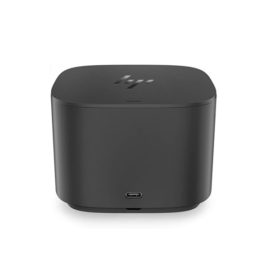
Reinvent docking and boost productivity with our most versatile Thunderbolt™ dock, the small, sophisticated HP Thunderbolt Dock G2. Designed for workspace flexibility and network manageability1, it delivers USB-C™ device connectivity and optional integrated audio
Connect the attached USB cable to your notebook’s USB-C™ port and get display[1] and device connectivity with VGA or HDMI and two USB ports, and network connectivity from RJ-45.
The ThinkPad Thunderbolt 3 Dock (40AC) is a pioneering, 13 port docking solution powered by Intel Thunderbolt™ technology. Now, you can connect and rapidly charge like never before via a USB Type-C TM port all while experiencing complete control of your workstation and essential accessories.
Keep up to six of your most frequently-used USB devices like external storage, keyboard, mouse or optical drive plugged into the replicator so they’re ready to use at a moment’s notice. The included power cord keeps the replicator charged and ready.
Connect the attached cable to a USB-C™ port, or use the included USB-C™ to USB-A adapter with legacy devices for quick access to your wired network, multiple displays, and accessories through the dock’s DisplayPort, HDMI, RJ-45, and five USB ports.