Description
Hardware compatibility
Techwings Store
Techwings Store
Techwings Store
Techwings Store
Techwings Store
Techwings Store
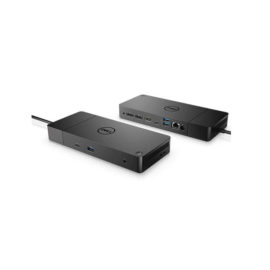
Designed exclusively for ultraslim HP EliteBook Notebook PCs, the HP UltraSlim Docking Station expands display, network, and device connectivity so you can be more productive throughout the day—all through a simple one-click slide-in side dock.
our USB 3.0 ports offer high-speed connectivity to the USB devices you use most. USB 3.0 reduces the time required for data transmission (vs. USB 2.0), is backward compatible with USB 2.0, and is bi-directional.
Get high-speed connectivity to the USB devices you use most with four USB 3.0 ports, which reduce the time required for data transmission (vs. USB 2.0), are backward compatible with USB 2.0, and bi-directional.
Secure the connected notebook to the dock with the optional HP Docking Station Cable Lock (sold separately).
Enjoy the reassurance of a one-year parts replacement limited warranty. Additional support is available (North America only) seven days a week, 24 hours a day by phone as well as through online support forums.
Hardware compatibility
| Ports | 4 USB 3.0 ports (3 USB 3.0 ports, 1 Charging port); 1 RJ-45 (network) jack; 2 DisplayPort 1.2; 1 VGA port; 1 Line-in jack; 1 Line-out jack |
|---|---|
| Hardware compatibility | HP ProBook 650 G2 Notebook PC; HP ProBook 650 G3 Notebook PC; HP Elitebook 820 G1 Notebook PC; HP Elitebook 840 G1 Notebook PC; HP Elitebook 850 G1 Notebook PC; HP EliteBook Folio 9470m Notebook PC; HP EliteBook Folio 1040 G1 Notebook PC; HP EliteBook Revolve 810 G1 Tablet; HP EliteBook Revolve 810 G2 Tablet; HP ZBook 14 Mobile Workstation |
| Power | 18.5 V |
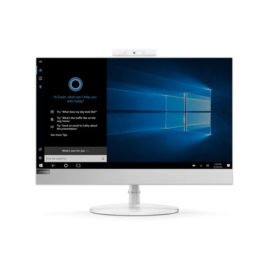
Lenovo L24q-10. Display diagonal: 60.5 cm (23.8″), Display resolution: 2560 x 1440 pixels, HD type: Quad HD, Display technology: LED. Display: LED. Display surface: Matt, Response time: 6 ms, Native aspect ratio: 16:9, Viewing angle, horizontal: 178°, Viewing angle, vertical: 178°. Energy Star certified. Colour of product: Silver
Robust, reliable, and secure, the Lenovo All in One PC V530 walks the walk and talks the talk. Powered by the latest Intel® processors, with high-speed memory and storage, it’s designed with productivity and energy efficiency in mind. With its pin-sharp borderless display, this space-saving all-in-one will brighten up any desk—and your business prospects, too.
With its 360-degree hinge, the ThinkPad X1 Yoga moves with you. The phenomenal HDR display option delivers 100% color gamut for vivid and true-to-life visuals. The integrated ThinkPad Pen Pro provides the perfect outlet for your creativity.
Boost your PC’s power on the world’s most powerful and first modular dock with a future-ready design.
The ThinkPad Ultra Docking Station provides the best docking experience for large enterprise ThinkPad customers.
UNLEASH YOUR CREATIVITY WITH NEXT-GEN USB-C DOCKING
Keep up to six of your most frequently-used USB devices like external storage, keyboard, mouse or optical drive plugged into the replicator so they’re ready to use at a moment’s notice. The included power cord keeps the replicator charged and ready.
Connect the attached USB cable to your notebook’s USB-C™ port and get display[1] and device connectivity with VGA or HDMI and two USB ports, and network connectivity from RJ-45.