Description
Hardware compatibility
Techwings Store
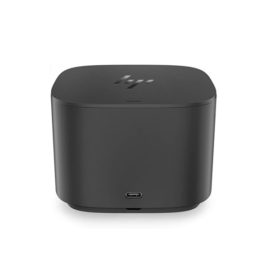
Designed exclusively for ultraslim HP EliteBook Notebook PCs, the HP UltraSlim Docking Station expands display, network, and device connectivity so you can be more productive throughout the day—all through a simple one-click slide-in side dock.
our USB 3.0 ports offer high-speed connectivity to the USB devices you use most. USB 3.0 reduces the time required for data transmission (vs. USB 2.0), is backward compatible with USB 2.0, and is bi-directional.
Get high-speed connectivity to the USB devices you use most with four USB 3.0 ports, which reduce the time required for data transmission (vs. USB 2.0), are backward compatible with USB 2.0, and bi-directional.
Secure the connected notebook to the dock with the optional HP Docking Station Cable Lock (sold separately).
Enjoy the reassurance of a one-year parts replacement limited warranty. Additional support is available (North America only) seven days a week, 24 hours a day by phone as well as through online support forums.
Hardware compatibility
| Ports | 4 USB 3.0 ports (3 USB 3.0 ports, 1 Charging port); 1 RJ-45 (network) jack; 2 DisplayPort 1.2; 1 VGA port; 1 Line-in jack; 1 Line-out jack |
|---|---|
| Hardware compatibility | HP ProBook 650 G2 Notebook PC; HP ProBook 650 G3 Notebook PC; HP Elitebook 820 G1 Notebook PC; HP Elitebook 840 G1 Notebook PC; HP Elitebook 850 G1 Notebook PC; HP EliteBook Folio 9470m Notebook PC; HP EliteBook Folio 1040 G1 Notebook PC; HP EliteBook Revolve 810 G1 Tablet; HP EliteBook Revolve 810 G2 Tablet; HP ZBook 14 Mobile Workstation |
| Power | 18.5 V |
Ergonomic keyboard is engineered for comfort and accuracy
Empower your business and do great things with the windows OS
Impresses with its narrow bezel and thinner, sleek appearance
Offers superb video-conferencing, thanks to its dual-array microphone, HD webcam, 15.6-inch IPS FHD display and stereo speakers with Dolby Advanced Audio
Ergonomic keyboard is engineered for comfort and accuracy
Empower your business and do great things with the windows OS
Impresses with its narrow bezel and thinner, sleek appearance
Offers superb video-conferencing, thanks to its dual-array microphone, HD webcam, 15.6-inch IPS FHD display and stereo speakers with Dolby Advanced Audio
The 12.5″ HP EliteBook x360 1020 G2 Multi-Touch 2-in-1 Laptop from HP is a thin and light system designed to go wherever life takes you.
What every busy office needs, the C612 A4 colour printer combines rapid print speeds and excellent paper handling with High Definition colour technology, ideal for creating marketing materials in-house.
Intel® NUC Mini PCs squeeze a powerful processor, fast memory, and massive storage comparable to the latest full-size desktop PCs into the smallest form factors we can engineer.Intel® NUCs feature the latest Intel® Core™ processors, available with integrated or discrete graphics, in either solid state drive (SSD) or hard disk drive (HDD) configurations, and are all engineered to work together in an incredibly small space.
The ThinkPad Hybrid USB-C with USB-A dock expands the capabilities of most any laptop, new or old, making it perfect for enterprise customers with mixed-PC or shared-desk environments. Featuring enterprise-class manageability, like PXE boot and MAC address pass-through, the ThinkPad Hybrid USB-C with USB-A docking station offers three high-speed USB 3.1 ports and includes a USB-C to USB-A adapter to provide port replication to non-Lenovo or USB-C laptop computers.
Desktop convenience with full port
Capability in a space saving design
Four USB 3.0 ports support for display port 1.2
Securing the dock and notebook with one lock
Stand and external display for more comfortable viewing
Reinvent docking and boost productivity with our most versatile Thunderbolt™ dock, the small, sophisticated HP Thunderbolt Dock G2. Designed for workspace flexibility and network manageability1, it delivers USB-C™ device connectivity and optional integrated audio
The ThinkPad USB 3.0 Ultra Dock (40A8) is an universal USB docking solution that not only delivers a premium display experience (up to 4k2k resolution via DisplayPort), but also provides quick and easy connection to all the workspace peripherals you use every day. Simply plug in a single USB 3.0 cable into your Lenovo PC for instant access to up to two external monitors, USB ports, Gigabit Ethernet, headphones/speakers, USB printers, scanners, keyboard, mouse and so on for daily use. The Dock can also charge your mobile devices via two USB always power on ports.
Connect the attached USB cable to your notebook’s USB-C™ port and get display[1] and device connectivity with VGA or HDMI and two USB ports, and network connectivity from RJ-45.