Description
Hardware compatibility
Designed exclusively for ultraslim HP EliteBook Notebook PCs, the HP UltraSlim Docking Station expands display, network, and device connectivity so you can be more productive throughout the day—all through a simple one-click slide-in side dock.
our USB 3.0 ports offer high-speed connectivity to the USB devices you use most. USB 3.0 reduces the time required for data transmission (vs. USB 2.0), is backward compatible with USB 2.0, and is bi-directional.
Get high-speed connectivity to the USB devices you use most with four USB 3.0 ports, which reduce the time required for data transmission (vs. USB 2.0), are backward compatible with USB 2.0, and bi-directional.
Secure the connected notebook to the dock with the optional HP Docking Station Cable Lock (sold separately).
Enjoy the reassurance of a one-year parts replacement limited warranty. Additional support is available (North America only) seven days a week, 24 hours a day by phone as well as through online support forums.
Hardware compatibility
| Ports | 4 USB 3.0 ports (3 USB 3.0 ports, 1 Charging port); 1 RJ-45 (network) jack; 2 DisplayPort 1.2; 1 VGA port; 1 Line-in jack; 1 Line-out jack |
|---|---|
| Hardware compatibility | HP ProBook 650 G2 Notebook PC; HP ProBook 650 G3 Notebook PC; HP Elitebook 820 G1 Notebook PC; HP Elitebook 840 G1 Notebook PC; HP Elitebook 850 G1 Notebook PC; HP EliteBook Folio 9470m Notebook PC; HP EliteBook Folio 1040 G1 Notebook PC; HP EliteBook Revolve 810 G1 Tablet; HP EliteBook Revolve 810 G2 Tablet; HP ZBook 14 Mobile Workstation |
| Power | 18.5 V |
Going from average gamer to gaming legend takes power that doesn’t call for reinforcements. The OMEN Desktop is geared with a cutting-edge design, the industry’s latest hardware, and easy upgradability to crush the latest AAA titles, and give you the top-tier performance competition demands.
NO MATTER WHAT THE FUTURE HOLDS, YOU’LL HAVE ALL THE PERFORMANCE YOU NEED. IDEAL FOR VFX AND RENDERING, THIS WORKHORSE OFFERS A WIDE RANGE OF PROCESSING POWER AND THE FLEXIBILITY TO UPGRADE COMPONENTS OVER TIME.
Sleek, sturdy and stylish, the HP Notebook 15-bs151nia is a powerhouse. Designed to let you do more, this superb notebook is designed to keep you connected to everything that matters every single day
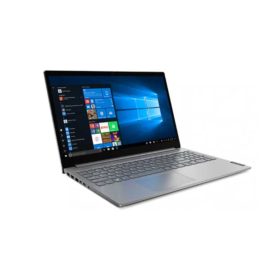
ThinkPad E15 can help drive any small business forward. With enhanced processing, memory, and storage, no task is too big. Discrete graphics and a 15.6″ FHD display, plus state-of-the-art speakers and audio, mean you won’t miss a thing.
Desktop convenience with full port
Capability in a space saving design
Four USB 3.0 ports support for display port 1.2
Securing the dock and notebook with one lock
Stand and external display for more comfortable viewing
Reinvent docking and boost productivity with our most versatile Thunderbolt™ dock, the small, sophisticated HP Thunderbolt Dock G2. Designed for workspace flexibility and network manageability1, it delivers USB-C™ device connectivity and optional integrated audio
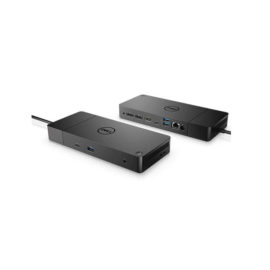
The ThinkPad Thunderbolt 3 Dock (40AC) is a pioneering, 13 port docking solution powered by Intel Thunderbolt™ technology. Now, you can connect and rapidly charge like never before via a USB Type-C TM port all while experiencing complete control of your workstation and essential accessories.
Transform your notebook or tablet into a complete desktop experience with the HP USB-C Universal Dock, which delivers USB-C™ charging[1] and connections for your network, dual 4K displays, and accessories with one cable connection.
Keep up to six of your most frequently-used USB devices like external storage, keyboard, mouse or optical drive plugged into the replicator so they’re ready to use at a moment’s notice. The included power cord keeps the replicator charged and ready.