Description
Hardware compatibility
Compatible with the: HP Elite x2 1012 G1, x2 1011; HP EliteBook Folio 1020, Folio 1040.


Hardware compatibility
| Hardware compatibility | Compatible with the: HP Elite x2 1012 G1, x2 1011; HP EliteBook Folio 1020, Folio 1040. |
|---|---|
| Power | 5 Volts/3 Amps |



KEY FEATURES
KEY FEATURES

 A compact, powerful A3 colour multifunction printer offering excellent print quality and copy functionality, the MC853 is ideal for small workgroups. Easy to use with a customisable interface, it combines low total cost of ownership with the functionality of higher-priced devices.
KEY FEATURES
A compact, powerful A3 colour multifunction printer offering excellent print quality and copy functionality, the MC853 is ideal for small workgroups. Easy to use with a customisable interface, it combines low total cost of ownership with the functionality of higher-priced devices.
KEY FEATURES
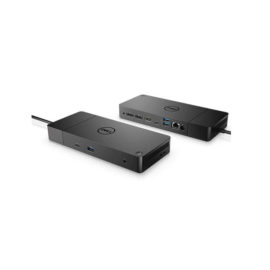
 Connect the attached cable to a USB-C™ port, or use the included USB-C™ to USB-A adapter with legacy devices for quick access to your wired network, multiple displays, and accessories through the dock’s DisplayPort, HDMI, RJ-45, and five USB ports.
Desktop convenience with full port
Capability in a space saving design
Four USB 3.0 ports support for display port 1.2
Securing the dock and notebook with one lock
Stand and external display for more comfortable viewing
Desktop convenience with full port
Capability in a space saving design
Four USB 3.0 ports support for display port 1.2
Securing the dock and notebook with one lock
Stand and external display for more comfortable viewing
Keep up to six of your most frequently-used USB devices like external storage, keyboard, mouse or optical drive plugged into the replicator so they’re ready to use at a moment’s notice. The included power cord keeps the replicator charged and ready.
Keep up to six of your most frequently-used USB devices like external storage, keyboard, mouse or optical drive plugged into the replicator so they’re ready to use at a moment’s notice. The included power cord keeps the replicator charged and ready.
Connect the attached cable to a USB-C™ port, or use the included USB-C™ to USB-A adapter with legacy devices for quick access to your wired network, multiple displays, and accessories through the dock’s DisplayPort, HDMI, RJ-45, and five USB ports.
Connect the attached cable to a USB-C™ port, or use the included USB-C™ to USB-A adapter with legacy devices for quick access to your wired network, multiple displays, and accessories through the dock’s DisplayPort, HDMI, RJ-45, and five USB ports.
Desktop convenience with full port
Capability in a space saving design
Four USB 3.0 ports support for display port 1.2
Securing the dock and notebook with one lock
Stand and external display for more comfortable viewing
Desktop convenience with full port
Capability in a space saving design
Four USB 3.0 ports support for display port 1.2
Securing the dock and notebook with one lock
Stand and external display for more comfortable viewing
Keep up to six of your most frequently-used USB devices like external storage, keyboard, mouse or optical drive plugged into the replicator so they’re ready to use at a moment’s notice. The included power cord keeps the replicator charged and ready.
Keep up to six of your most frequently-used USB devices like external storage, keyboard, mouse or optical drive plugged into the replicator so they’re ready to use at a moment’s notice. The included power cord keeps the replicator charged and ready.  Boost your PC’s power on the world’s most powerful and first modular dock with a future-ready design.
Boost your PC’s power on the world’s most powerful and first modular dock with a future-ready design.
Boost your PC’s power on the world’s most powerful and first modular dock with a future-ready design.  The innovative side connector of the ThinkPad Pro Docking Station, designed exclusively for ThinkPad notebooks, provides a driver-free way to connect conveniently and securely to a range of USB accessories and external displays, while rapid charging support and a mirrored power button make it easy to disconnect and go. Designed for large enterprise environments, the ThinkPad Pro Docking Station supports PXE book, wake on LAN, and MAC address pass-through, simplifying asset management for IT managers.
The innovative side connector of the ThinkPad Pro Docking Station, designed exclusively for ThinkPad notebooks, provides a driver-free way to connect conveniently and securely to a range of USB accessories and external displays, while rapid charging support and a mirrored power button make it easy to disconnect and go. Designed for large enterprise environments, the ThinkPad Pro Docking Station supports PXE book, wake on LAN, and MAC address pass-through, simplifying asset management for IT managers.
The innovative side connector of the ThinkPad Pro Docking Station, designed exclusively for ThinkPad notebooks, provides a driver-free way to connect conveniently and securely to a range of USB accessories and external displays, while rapid charging support and a mirrored power button make it easy to disconnect and go. Designed for large enterprise environments, the ThinkPad Pro Docking Station supports PXE book, wake on LAN, and MAC address pass-through, simplifying asset management for IT managers.