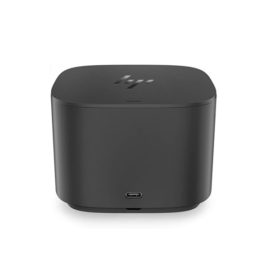
Description
Hardware compatibility
Compatible with the: HP Elite x2 1012 G1, x2 1011; HP EliteBook Folio 1020, Folio 1040.

Techwings Store
Techwings Store


Hardware compatibility
| Hardware compatibility | Compatible with the: HP Elite x2 1012 G1, x2 1011; HP EliteBook Folio 1020, Folio 1040. |
|---|---|
| Power | 5 Volts/3 Amps |
 The Ideapad series is home to Lenovo’s budget laptops for users who may not need all the fancy features or sleek designs of flagship Ultrabooks.
The Ideapad series is home to Lenovo’s budget laptops for users who may not need all the fancy features or sleek designs of flagship Ultrabooks.
The Ideapad series is home to Lenovo’s budget laptops for users who may not need all the fancy features or sleek designs of flagship Ultrabooks.  The Latitude 5480 offers multiple security options to meet your diverse security needs. Features include essential multi-factor authentication hardware such as touch fingerprint reader, contacted FIPS 201 Smart Card Reader and Contactless Smart Card Reader NFC with Control Vault 2™ Fips 140-2 Level 3 Certification to prevent unauthorized access.
See what your game is capable of with the powerhouse NVIDIA® GeForce RTX™ 20-series and GeForce® GTX 16-series graphics with up to 6GB GDDR6 dedicated memory. Fierce, flicker-free visuals come alive with optional 144Hz display.
See what your game is capable of with the powerhouse NVIDIA® GeForce RTX™ 20-series and GeForce® GTX 16-series graphics with up to 6GB GDDR6 dedicated memory. Fierce, flicker-free visuals come alive with optional 144Hz display.
Delivering stellar performance day in, day out, the ThinkPad E15 can help drive any small business forward. With enhanced processing, memory, and storage, no task is too big. Discrete graphics and a 15.6″ FHD display, plus state-of-the-art speakers and audio, mean you won’t miss a thing.
Delivering stellar performance day in, day out, the ThinkPad E15 can help drive any small business forward. With enhanced processing, memory, and storage, no task is too big. Discrete graphics and a 15.6″ FHD display, plus state-of-the-art speakers and audio, mean you won’t miss a thing.
The ThinkPad Thunderbolt 3 Dock (40AC) is a pioneering, 13 port docking solution powered by Intel Thunderbolt™ technology. Now, you can connect and rapidly charge like never before via a USB Type-C TM port all while experiencing complete control of your workstation and essential accessories.
The ThinkPad Thunderbolt 3 Dock (40AC) is a pioneering, 13 port docking solution powered by Intel Thunderbolt™ technology. Now, you can connect and rapidly charge like never before via a USB Type-C TM port all while experiencing complete control of your workstation and essential accessories.
The Latitude 5480 offers multiple security options to meet your diverse security needs. Features include essential multi-factor authentication hardware such as touch fingerprint reader, contacted FIPS 201 Smart Card Reader and Contactless Smart Card Reader NFC with Control Vault 2™ Fips 140-2 Level 3 Certification to prevent unauthorized access.
The Latitude 5480 offers multiple security options to meet your diverse security needs. Features include essential multi-factor authentication hardware such as touch fingerprint reader, contacted FIPS 201 Smart Card Reader and Contactless Smart Card Reader NFC with Control Vault 2™ Fips 140-2 Level 3 Certification to prevent unauthorized access.
See what your game is capable of with the powerhouse NVIDIA® GeForce RTX™ 20-series and GeForce® GTX 16-series graphics with up to 6GB GDDR6 dedicated memory. Fierce, flicker-free visuals come alive with optional 144Hz display.
See what your game is capable of with the powerhouse NVIDIA® GeForce RTX™ 20-series and GeForce® GTX 16-series graphics with up to 6GB GDDR6 dedicated memory. Fierce, flicker-free visuals come alive with optional 144Hz display.
Delivering stellar performance day in, day out, the ThinkPad E15 can help drive any small business forward. With enhanced processing, memory, and storage, no task is too big. Discrete graphics and a 15.6″ FHD display, plus state-of-the-art speakers and audio, mean you won’t miss a thing.
Delivering stellar performance day in, day out, the ThinkPad E15 can help drive any small business forward. With enhanced processing, memory, and storage, no task is too big. Discrete graphics and a 15.6″ FHD display, plus state-of-the-art speakers and audio, mean you won’t miss a thing.
The ThinkPad Thunderbolt 3 Dock (40AC) is a pioneering, 13 port docking solution powered by Intel Thunderbolt™ technology. Now, you can connect and rapidly charge like never before via a USB Type-C TM port all while experiencing complete control of your workstation and essential accessories.
The ThinkPad Thunderbolt 3 Dock (40AC) is a pioneering, 13 port docking solution powered by Intel Thunderbolt™ technology. Now, you can connect and rapidly charge like never before via a USB Type-C TM port all while experiencing complete control of your workstation and essential accessories.  Reinvent docking and boost productivity with our most versatile Thunderbolt™ dock, the small, sophisticated HP Thunderbolt Dock G2. Designed for workspace flexibility and network manageability1, it delivers USB-C™ device connectivity and optional integrated audio
The ThinkPad Thunderbolt 3 WorkStation Dock is a pioneering docking solution powered by Intel Thunderbolt technology.
The ThinkPad Thunderbolt 3 WorkStation Dock is a pioneering docking solution powered by Intel Thunderbolt technology.
ThinkPad Docking Stations provide the best docking experience for large enterprise ThinkPad customers.
ThinkPad Docking Stations provide the best docking experience for large enterprise ThinkPad customers.
Connect the attached cable to a USB-C™ port, or use the included USB-C™ to USB-A adapter with legacy devices for quick access to your wired network, multiple displays, and accessories through the dock’s DisplayPort, HDMI, RJ-45, and five USB ports.
Connect the attached cable to a USB-C™ port, or use the included USB-C™ to USB-A adapter with legacy devices for quick access to your wired network, multiple displays, and accessories through the dock’s DisplayPort, HDMI, RJ-45, and five USB ports.
Reinvent docking and boost productivity with our most versatile Thunderbolt™ dock, the small, sophisticated HP Thunderbolt Dock G2. Designed for workspace flexibility and network manageability1, it delivers USB-C™ device connectivity and optional integrated audio
Reinvent docking and boost productivity with our most versatile Thunderbolt™ dock, the small, sophisticated HP Thunderbolt Dock G2. Designed for workspace flexibility and network manageability1, it delivers USB-C™ device connectivity and optional integrated audio
The ThinkPad Thunderbolt 3 WorkStation Dock is a pioneering docking solution powered by Intel Thunderbolt technology.
The ThinkPad Thunderbolt 3 WorkStation Dock is a pioneering docking solution powered by Intel Thunderbolt technology.
ThinkPad Docking Stations provide the best docking experience for large enterprise ThinkPad customers.
ThinkPad Docking Stations provide the best docking experience for large enterprise ThinkPad customers.
Connect the attached cable to a USB-C™ port, or use the included USB-C™ to USB-A adapter with legacy devices for quick access to your wired network, multiple displays, and accessories through the dock’s DisplayPort, HDMI, RJ-45, and five USB ports.
Connect the attached cable to a USB-C™ port, or use the included USB-C™ to USB-A adapter with legacy devices for quick access to your wired network, multiple displays, and accessories through the dock’s DisplayPort, HDMI, RJ-45, and five USB ports.