Description
Hardware compatibility
Compatible with the: HP Elite x2 1012 G1, x2 1011; HP EliteBook Folio 1020, Folio 1040.


Hardware compatibility
| Hardware compatibility | Compatible with the: HP Elite x2 1012 G1, x2 1011; HP EliteBook Folio 1020, Folio 1040. |
|---|---|
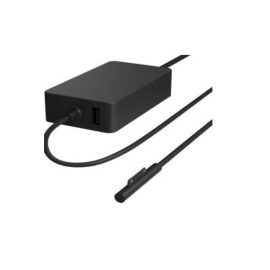
| Power | 5 Volts/3 Amps |
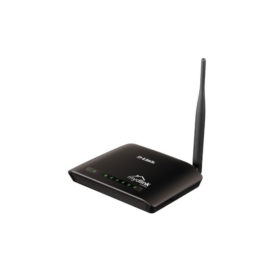
 Stay informed and protected with the Wireless N 150 Home Cloud Router (DIR-600L).
Stay informed and protected with the Wireless N 150 Home Cloud Router (DIR-600L).
Stay informed and protected with the Wireless N 150 Home Cloud Router (DIR-600L).  Powered by Windows 10 Pro and up to 10th Gen Intel® Core™ processing, the ThinkBook 15 combines high performance with intuitive, time-saving features. Built with security, reliability, and durability in mind, this 15″ business laptop enables you to work
Powered by Windows 10 Pro and up to 10th Gen Intel® Core™ processing, the ThinkBook 15 combines high performance with intuitive, time-saving features. Built with security, reliability, and durability in mind, this 15″ business laptop enables you to work
Powered by Windows 10 Pro and up to 10th Gen Intel® Core™ processing, the ThinkBook 15 combines high performance with intuitive, time-saving features. Built with security, reliability, and durability in mind, this 15″ business laptop enables you to work 
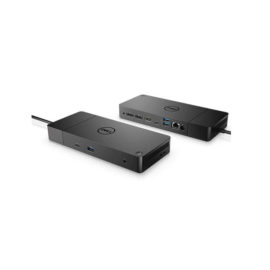
 Transform your notebook or tablet into a complete desktop experience with the HP USB-C Universal Dock, which delivers USB-C™ charging[1] and connections for your network, dual 4K displays, and accessories with one cable connection.
Transform your notebook or tablet into a complete desktop experience with the HP USB-C Universal Dock, which delivers USB-C™ charging[1] and connections for your network, dual 4K displays, and accessories with one cable connection.
Transform your notebook or tablet into a complete desktop experience with the HP USB-C Universal Dock, which delivers USB-C™ charging[1] and connections for your network, dual 4K displays, and accessories with one cable connection.  Boost your PC’s power on the world’s most powerful and first modular dock with a future-ready design.
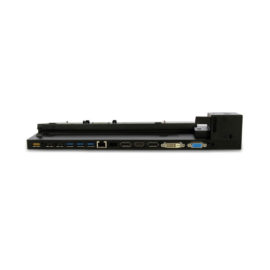
The completely re-designed ThinkPad 90W Ultra Dock comes with an included ThinkPad 90W AC Adapter and grows your capability without having grown in size.
The completely re-designed ThinkPad 90W Ultra Dock comes with an included ThinkPad 90W AC Adapter and grows your capability without having grown in size.
Connect the attached cable to a USB-C™ port, or use the included USB-C™ to USB-A adapter with legacy devices for quick access to your wired network, multiple displays, and accessories through the dock’s DisplayPort, HDMI, RJ-45, and five USB ports.
Connect the attached cable to a USB-C™ port, or use the included USB-C™ to USB-A adapter with legacy devices for quick access to your wired network, multiple displays, and accessories through the dock’s DisplayPort, HDMI, RJ-45, and five USB ports.
Desktop convenience with full port
Capability in a space saving design
Four USB 3.0 ports support for display port 1.2
Securing the dock and notebook with one lock
Stand and external display for more comfortable viewing
Desktop convenience with full port
Capability in a space saving design
Four USB 3.0 ports support for display port 1.2
Securing the dock and notebook with one lock
Stand and external display for more comfortable viewing
Boost your PC’s power on the world’s most powerful and first modular dock with a future-ready design.
Boost your PC’s power on the world’s most powerful and first modular dock with a future-ready design.
The completely re-designed ThinkPad 90W Ultra Dock comes with an included ThinkPad 90W AC Adapter and grows your capability without having grown in size.
The completely re-designed ThinkPad 90W Ultra Dock comes with an included ThinkPad 90W AC Adapter and grows your capability without having grown in size.
Connect the attached cable to a USB-C™ port, or use the included USB-C™ to USB-A adapter with legacy devices for quick access to your wired network, multiple displays, and accessories through the dock’s DisplayPort, HDMI, RJ-45, and five USB ports.
Connect the attached cable to a USB-C™ port, or use the included USB-C™ to USB-A adapter with legacy devices for quick access to your wired network, multiple displays, and accessories through the dock’s DisplayPort, HDMI, RJ-45, and five USB ports.
Desktop convenience with full port
Capability in a space saving design
Four USB 3.0 ports support for display port 1.2
Securing the dock and notebook with one lock
Stand and external display for more comfortable viewing
Desktop convenience with full port
Capability in a space saving design
Four USB 3.0 ports support for display port 1.2
Securing the dock and notebook with one lock
Stand and external display for more comfortable viewing