Description
Hardware compatibility
Compatible with the: HP Elite x2 1012 G1, x2 1011; HP EliteBook Folio 1020, Folio 1040.


Hardware compatibility
| Hardware compatibility | Compatible with the: HP Elite x2 1012 G1, x2 1011; HP EliteBook Folio 1020, Folio 1040. |
|---|---|
| Power | 5 Volts/3 Amps |
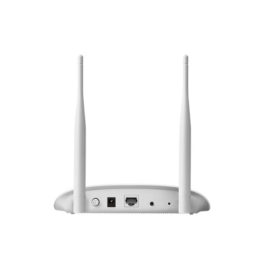
 300Mbps wireless speed ideal for smooth HD video, voice streaming and online gaming
300Mbps wireless speed ideal for smooth HD video, voice streaming and online gaming
300Mbps wireless speed ideal for smooth HD video, voice streaming and online gaming  Ergonomic keyboard is engineered for comfort and accuracy
Empower your business and do great things with the windows OS
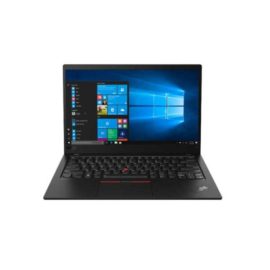
Impresses with its narrow bezel and thinner, sleek appearance
Offers superb video-conferencing, thanks to its dual-array microphone, HD webcam, 15.6-inch IPS FHD display and stereo speakers with Dolby Advanced Audio
Ergonomic keyboard is engineered for comfort and accuracy
Empower your business and do great things with the windows OS
Impresses with its narrow bezel and thinner, sleek appearance
Offers superb video-conferencing, thanks to its dual-array microphone, HD webcam, 15.6-inch IPS FHD display and stereo speakers with Dolby Advanced Audio
The ThinkPad Ultra Docking Station provides the best docking experience for large enterprise ThinkPad customers.
The ThinkPad Ultra Docking Station provides the best docking experience for large enterprise ThinkPad customers.
Ergonomic keyboard is engineered for comfort and accuracy
Empower your business and do great things with the windows OS
Impresses with its narrow bezel and thinner, sleek appearance
Offers superb video-conferencing, thanks to its dual-array microphone, HD webcam, 15.6-inch IPS FHD display and stereo speakers with Dolby Advanced Audio
Ergonomic keyboard is engineered for comfort and accuracy
Empower your business and do great things with the windows OS
Impresses with its narrow bezel and thinner, sleek appearance
Offers superb video-conferencing, thanks to its dual-array microphone, HD webcam, 15.6-inch IPS FHD display and stereo speakers with Dolby Advanced Audio
The ThinkPad Ultra Docking Station provides the best docking experience for large enterprise ThinkPad customers.
The ThinkPad Ultra Docking Station provides the best docking experience for large enterprise ThinkPad customers.  Dell Express Charge allows you to charge up to 80% in one houri, making it the most efficient way to manage the workday.
Dell Express Charge allows you to charge up to 80% in one houri, making it the most efficient way to manage the workday.
Dell Express Charge allows you to charge up to 80% in one houri, making it the most efficient way to manage the workday.  Reinvent docking and boost productivity with our most versatile Thunderbolt™ dock, the small, sophisticated HP Thunderbolt Dock G2. Designed for workspace flexibility and network manageability1, it delivers USB-C™ device connectivity and optional integrated audio
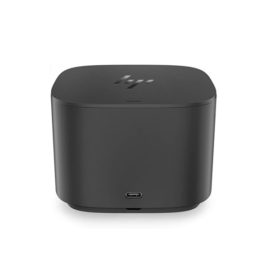
Reinvent docking and boost productivity with our most versatile Thunderbolt™ dock, the small, sophisticated HP Thunderbolt Dock G2. Designed for workspace flexibility and network manageability1, it delivers USB-C™ device connectivity and optional integrated audio
Reinvent docking and boost productivity with our most versatile Thunderbolt™ dock, the small, sophisticated HP Thunderbolt Dock G2. Designed for workspace flexibility and network manageability1, it delivers USB-C™ device connectivity and optional integrated audio 
 UNLEASH YOUR CREATIVITY WITH NEXT-GEN USB-C DOCKING
Desktop convenience with full port
Capability in a space saving design
Four USB 3.0 ports support for display port 1.2
Securing the dock and notebook with one lock
Stand and external display for more comfortable viewing
Desktop convenience with full port
Capability in a space saving design
Four USB 3.0 ports support for display port 1.2
Securing the dock and notebook with one lock
Stand and external display for more comfortable viewing
UNLEASH YOUR CREATIVITY WITH NEXT-GEN USB-C DOCKING
Desktop convenience with full port
Capability in a space saving design
Four USB 3.0 ports support for display port 1.2
Securing the dock and notebook with one lock
Stand and external display for more comfortable viewing
Desktop convenience with full port
Capability in a space saving design
Four USB 3.0 ports support for display port 1.2
Securing the dock and notebook with one lock
Stand and external display for more comfortable viewing