Description
Hardware compatibility
Compatible with the: HP Elite x2 1012 G1, x2 1011; HP EliteBook Folio 1020, Folio 1040.

Techwings Store

Techwings Store

Techwings Store

Techwings Store

Techwings Store

Techwings Store
Techwings Store
Techwings Store
Techwings Store
Techwings Store
Techwings Store
Techwings Store


Hardware compatibility
| Hardware compatibility | Compatible with the: HP Elite x2 1012 G1, x2 1011; HP EliteBook Folio 1020, Folio 1040. |
|---|---|
| Power | 5 Volts/3 Amps |

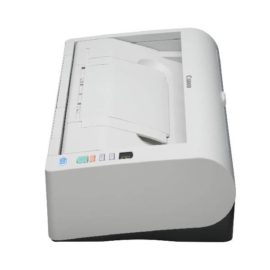

KEY FEATURES
Part No: 9392B003
KEY FEATURES
Part No: 9392B003
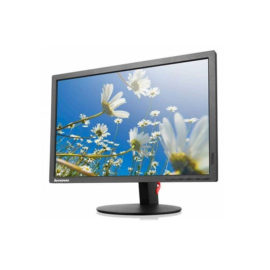
 Lenovo LI2054 ColourTN | The Lenovo LI2054 Wide monitor is simple and gorgeous with its black glossy look. It is easy to use and compatible with most systems with a VGA interface. Its visual clarity is superb, with a resolution of 1440×900 and a 3M:1 dynamic contrast. It embodies the energy-saving and environmental protection mission of Lenovo with its green features, including white LED backlights and Energy-Star 6.0, CEL tier 1 and RoHS compliancy.
Lenovo LI2054 ColourTN | The Lenovo LI2054 Wide monitor is simple and gorgeous with its black glossy look. It is easy to use and compatible with most systems with a VGA interface. Its visual clarity is superb, with a resolution of 1440×900 and a 3M:1 dynamic contrast. It embodies the energy-saving and environmental protection mission of Lenovo with its green features, including white LED backlights and Energy-Star 6.0, CEL tier 1 and RoHS compliancy.
Lenovo LI2054 ColourTN | The Lenovo LI2054 Wide monitor is simple and gorgeous with its black glossy look. It is easy to use and compatible with most systems with a VGA interface. Its visual clarity is superb, with a resolution of 1440×900 and a 3M:1 dynamic contrast. It embodies the energy-saving and environmental protection mission of Lenovo with its green features, including white LED backlights and Energy-Star 6.0, CEL tier 1 and RoHS compliancy.  Keep up to six of your most frequently-used USB devices like external storage, keyboard, mouse or optical drive plugged into the replicator so they’re ready to use at a moment’s notice. The included power cord keeps the replicator charged and ready.
Connect the attached cable to a USB-C™ port, or use the included USB-C™ to USB-A adapter with legacy devices for quick access to your wired network, multiple displays, and accessories through the dock’s DisplayPort, HDMI, RJ-45, and five USB ports.
Connect the attached cable to a USB-C™ port, or use the included USB-C™ to USB-A adapter with legacy devices for quick access to your wired network, multiple displays, and accessories through the dock’s DisplayPort, HDMI, RJ-45, and five USB ports.
The ThinkPad Ultra Docking Station provides the best docking experience for large enterprise ThinkPad customers.
The ThinkPad Ultra Docking Station provides the best docking experience for large enterprise ThinkPad customers.
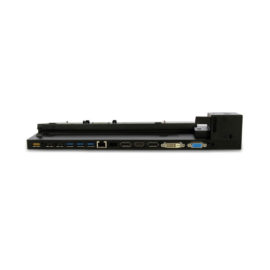
The completely re-designed ThinkPad 90W Ultra Dock comes with an included ThinkPad 90W AC Adapter and grows your capability without having grown in size.
The completely re-designed ThinkPad 90W Ultra Dock comes with an included ThinkPad 90W AC Adapter and grows your capability without having grown in size.
The ThinkPad Hybrid USB-C with USB-A dock expands the capabilities of most any laptop, new or old, making it perfect for enterprise customers with mixed-PC or shared-desk environments. Featuring enterprise-class manageability, like PXE boot and MAC address pass-through, the ThinkPad Hybrid USB-C with USB-A docking station offers three high-speed USB 3.1 ports and includes a USB-C to USB-A adapter to provide port replication to non-Lenovo or USB-C laptop computers.
The ThinkPad Hybrid USB-C with USB-A dock expands the capabilities of most any laptop, new or old, making it perfect for enterprise customers with mixed-PC or shared-desk environments. Featuring enterprise-class manageability, like PXE boot and MAC address pass-through, the ThinkPad Hybrid USB-C with USB-A docking station offers three high-speed USB 3.1 ports and includes a USB-C to USB-A adapter to provide port replication to non-Lenovo or USB-C laptop computers.
Keep up to six of your most frequently-used USB devices like external storage, keyboard, mouse or optical drive plugged into the replicator so they’re ready to use at a moment’s notice. The included power cord keeps the replicator charged and ready.
Keep up to six of your most frequently-used USB devices like external storage, keyboard, mouse or optical drive plugged into the replicator so they’re ready to use at a moment’s notice. The included power cord keeps the replicator charged and ready.
Connect the attached cable to a USB-C™ port, or use the included USB-C™ to USB-A adapter with legacy devices for quick access to your wired network, multiple displays, and accessories through the dock’s DisplayPort, HDMI, RJ-45, and five USB ports.
Connect the attached cable to a USB-C™ port, or use the included USB-C™ to USB-A adapter with legacy devices for quick access to your wired network, multiple displays, and accessories through the dock’s DisplayPort, HDMI, RJ-45, and five USB ports.
The ThinkPad Ultra Docking Station provides the best docking experience for large enterprise ThinkPad customers.
The ThinkPad Ultra Docking Station provides the best docking experience for large enterprise ThinkPad customers.
The completely re-designed ThinkPad 90W Ultra Dock comes with an included ThinkPad 90W AC Adapter and grows your capability without having grown in size.
The completely re-designed ThinkPad 90W Ultra Dock comes with an included ThinkPad 90W AC Adapter and grows your capability without having grown in size.
The ThinkPad Hybrid USB-C with USB-A dock expands the capabilities of most any laptop, new or old, making it perfect for enterprise customers with mixed-PC or shared-desk environments. Featuring enterprise-class manageability, like PXE boot and MAC address pass-through, the ThinkPad Hybrid USB-C with USB-A docking station offers three high-speed USB 3.1 ports and includes a USB-C to USB-A adapter to provide port replication to non-Lenovo or USB-C laptop computers.
The ThinkPad Hybrid USB-C with USB-A dock expands the capabilities of most any laptop, new or old, making it perfect for enterprise customers with mixed-PC or shared-desk environments. Featuring enterprise-class manageability, like PXE boot and MAC address pass-through, the ThinkPad Hybrid USB-C with USB-A docking station offers three high-speed USB 3.1 ports and includes a USB-C to USB-A adapter to provide port replication to non-Lenovo or USB-C laptop computers.