Description
Hardware compatibility
Compatible with the: HP Elite x2 1012 G1, x2 1011; HP EliteBook Folio 1020, Folio 1040.

Techwings Store
Techwings Store


Hardware compatibility
| Hardware compatibility | Compatible with the: HP Elite x2 1012 G1, x2 1011; HP EliteBook Folio 1020, Folio 1040. |
|---|---|
| Power | 5 Volts/3 Amps |

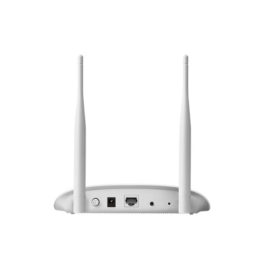
 300Mbps wireless speed ideal for smooth HD video, voice streaming and online gaming
300Mbps wireless speed ideal for smooth HD video, voice streaming and online gaming
300Mbps wireless speed ideal for smooth HD video, voice streaming and online gaming
|
||||||||||
|
||||||||||
|
||||||||||
|
||||||||||
|
||||||||||
|
||||||||||
 Transform your notebook or tablet into a complete desktop experience with the HP USB-C Universal Dock, which delivers USB-C™ charging[1] and connections for your network, dual 4K displays, and accessories with one cable connection.
The completely re-designed ThinkPad 90W Ultra Dock comes with an included ThinkPad 90W AC Adapter and grows your capability without having grown in size.
The completely re-designed ThinkPad 90W Ultra Dock comes with an included ThinkPad 90W AC Adapter and grows your capability without having grown in size.
The ThinkPad Thunderbolt 3 WorkStation Dock is a pioneering docking solution powered by Intel Thunderbolt technology.
The ThinkPad Thunderbolt 3 WorkStation Dock is a pioneering docking solution powered by Intel Thunderbolt technology.
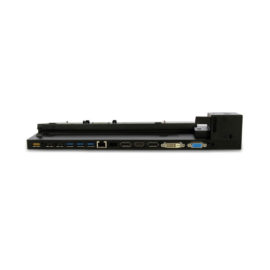
The innovative side connector of the ThinkPad Pro Docking Station, designed exclusively for ThinkPad notebooks, provides a driver-free way to connect conveniently and securely to a range of USB accessories and external displays, while rapid charging support and a mirrored power button make it easy to disconnect and go. Designed for large enterprise environments, the ThinkPad Pro Docking Station supports PXE book, wake on LAN, and MAC address pass-through, simplifying asset management for IT managers.
The innovative side connector of the ThinkPad Pro Docking Station, designed exclusively for ThinkPad notebooks, provides a driver-free way to connect conveniently and securely to a range of USB accessories and external displays, while rapid charging support and a mirrored power button make it easy to disconnect and go. Designed for large enterprise environments, the ThinkPad Pro Docking Station supports PXE book, wake on LAN, and MAC address pass-through, simplifying asset management for IT managers.
Connect the attached cable to a USB-C™ port, or use the included USB-C™ to USB-A adapter with legacy devices for quick access to your wired network, multiple displays, and accessories through the dock’s DisplayPort, HDMI, RJ-45, and five USB ports.
Connect the attached cable to a USB-C™ port, or use the included USB-C™ to USB-A adapter with legacy devices for quick access to your wired network, multiple displays, and accessories through the dock’s DisplayPort, HDMI, RJ-45, and five USB ports.
Transform your notebook or tablet into a complete desktop experience with the HP USB-C Universal Dock, which delivers USB-C™ charging[1] and connections for your network, dual 4K displays, and accessories with one cable connection.
Transform your notebook or tablet into a complete desktop experience with the HP USB-C Universal Dock, which delivers USB-C™ charging[1] and connections for your network, dual 4K displays, and accessories with one cable connection.
The completely re-designed ThinkPad 90W Ultra Dock comes with an included ThinkPad 90W AC Adapter and grows your capability without having grown in size.
The completely re-designed ThinkPad 90W Ultra Dock comes with an included ThinkPad 90W AC Adapter and grows your capability without having grown in size.
The ThinkPad Thunderbolt 3 WorkStation Dock is a pioneering docking solution powered by Intel Thunderbolt technology.
The ThinkPad Thunderbolt 3 WorkStation Dock is a pioneering docking solution powered by Intel Thunderbolt technology.
The innovative side connector of the ThinkPad Pro Docking Station, designed exclusively for ThinkPad notebooks, provides a driver-free way to connect conveniently and securely to a range of USB accessories and external displays, while rapid charging support and a mirrored power button make it easy to disconnect and go. Designed for large enterprise environments, the ThinkPad Pro Docking Station supports PXE book, wake on LAN, and MAC address pass-through, simplifying asset management for IT managers.
The innovative side connector of the ThinkPad Pro Docking Station, designed exclusively for ThinkPad notebooks, provides a driver-free way to connect conveniently and securely to a range of USB accessories and external displays, while rapid charging support and a mirrored power button make it easy to disconnect and go. Designed for large enterprise environments, the ThinkPad Pro Docking Station supports PXE book, wake on LAN, and MAC address pass-through, simplifying asset management for IT managers.
Connect the attached cable to a USB-C™ port, or use the included USB-C™ to USB-A adapter with legacy devices for quick access to your wired network, multiple displays, and accessories through the dock’s DisplayPort, HDMI, RJ-45, and five USB ports.
Connect the attached cable to a USB-C™ port, or use the included USB-C™ to USB-A adapter with legacy devices for quick access to your wired network, multiple displays, and accessories through the dock’s DisplayPort, HDMI, RJ-45, and five USB ports.