Description
Hardware compatibility
Compatible with the: HP Elite x2 1012 G1, x2 1011; HP EliteBook Folio 1020, Folio 1040.

Techwings Store
Techwings Store


Hardware compatibility
| Hardware compatibility | Compatible with the: HP Elite x2 1012 G1, x2 1011; HP EliteBook Folio 1020, Folio 1040. |
|---|---|
| Power | 5 Volts/3 Amps |
 Adapt to a variety of application demands with a 2-socket, 2U rack server that offers an ideal balance of resources and affordability.
Adapt to a variety of application demands with a 2-socket, 2U rack server that offers an ideal balance of resources and affordability.
Adapt to a variety of application demands with a 2-socket, 2U rack server that offers an ideal balance of resources and affordability.  Share with friends Internet access for up to 11 devices Simultaneously
Share with friends Internet access for up to 11 devices Simultaneously
Share with friends Internet access for up to 11 devices Simultaneously  See more and do more with the high definition, near-borderless display on the ultra-compact Spectre x360. You can power through work and play with a long battery life.
See more and do more with the high definition, near-borderless display on the ultra-compact Spectre x360. You can power through work and play with a long battery life.
See more and do more with the high definition, near-borderless display on the ultra-compact Spectre x360. You can power through work and play with a long battery life. 

 UNLEASH YOUR CREATIVITY WITH NEXT-GEN USB-C DOCKING
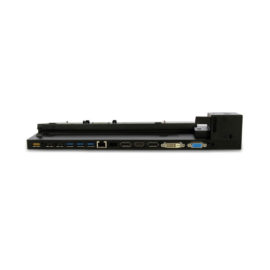
The completely re-designed ThinkPad 90W Ultra Dock comes with an included ThinkPad 90W AC Adapter and grows your capability without having grown in size.
The completely re-designed ThinkPad 90W Ultra Dock comes with an included ThinkPad 90W AC Adapter and grows your capability without having grown in size.
ThinkPad Docking Stations provide the best docking experience for large enterprise ThinkPad customers.
ThinkPad Docking Stations provide the best docking experience for large enterprise ThinkPad customers.
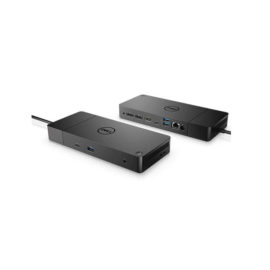
Boost your PC’s power on the world’s most powerful and first modular dock with a future-ready design.
Boost your PC’s power on the world’s most powerful and first modular dock with a future-ready design.
Keep up to six of your most frequently-used USB devices like external storage, keyboard, mouse or optical drive plugged into the replicator so they’re ready to use at a moment’s notice. The included power cord keeps the replicator charged and ready.
Keep up to six of your most frequently-used USB devices like external storage, keyboard, mouse or optical drive plugged into the replicator so they’re ready to use at a moment’s notice. The included power cord keeps the replicator charged and ready.
UNLEASH YOUR CREATIVITY WITH NEXT-GEN USB-C DOCKING
The completely re-designed ThinkPad 90W Ultra Dock comes with an included ThinkPad 90W AC Adapter and grows your capability without having grown in size.
The completely re-designed ThinkPad 90W Ultra Dock comes with an included ThinkPad 90W AC Adapter and grows your capability without having grown in size.
ThinkPad Docking Stations provide the best docking experience for large enterprise ThinkPad customers.
ThinkPad Docking Stations provide the best docking experience for large enterprise ThinkPad customers.
Boost your PC’s power on the world’s most powerful and first modular dock with a future-ready design.
Boost your PC’s power on the world’s most powerful and first modular dock with a future-ready design.
Keep up to six of your most frequently-used USB devices like external storage, keyboard, mouse or optical drive plugged into the replicator so they’re ready to use at a moment’s notice. The included power cord keeps the replicator charged and ready.
Keep up to six of your most frequently-used USB devices like external storage, keyboard, mouse or optical drive plugged into the replicator so they’re ready to use at a moment’s notice. The included power cord keeps the replicator charged and ready.