



Description
With the smart power on function enabled, you can turn on the computer or wake it up from hibernation mode by pressing Alt+P on the keyboard. However, this function does not work if your computer is not compatible with the Lenovo Professional Wireless Keyboard. To solve this problem, download the Lenovo Super IO (SIO) Firmware Update Utility from the Lenovo Support Web site to update the firmware on your computer:




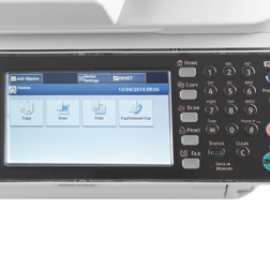
 The MB492dn A4 mono multifunction printer combines 4-in-1 automatic duplex copying, printing, scanning and fax functions with high print quality. Ideal for demanding users, the high-performance multifunction printer delivers fast, efficient output at print speeds of 40ppm.
 Fast, reliable connection up to 10-meters with virtually no delays or dropouts thanks to Logitech Advanced 2.4 wireless


