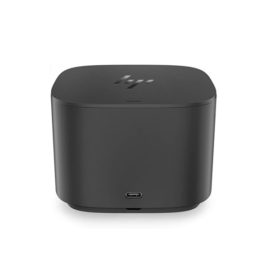
Description
- Enterprise-class universal docking
- Supports ThinkPad RapidCharge
- Works with older Lenovo and non-Lenovo laptops
- ThinkPad Hybrid USB-C with USB-A Dock
- USB-C to USB-A adapter cable
- 90 W AC adapter
- Setup poster
- Warranty poster
Techwings Store
Techwings Store
Techwings Store
Techwings Store
Techwings Store
Techwings Store
Techwings Store
Techwings Store
Techwings Store
Techwings Store
Techwings Store
Techwings Store
Techwings Store
Techwings Store
Techwings Store
Techwings Store
The ThinkPad Hybrid USB-C with USB-A dock expands the capabilities of most any laptop, new or old, making it perfect for enterprise customers with mixed-PC or shared-desk environments. Featuring enterprise-class manageability, like PXE boot and MAC address pass-through, the ThinkPad Hybrid USB-C with USB-A docking station offers three high-speed USB 3.1 ports and includes a USB-C to USB-A adapter to provide port replication to non-Lenovo or USB-C laptop computers.
| Weight | 480 g (1.05 lbs) |
|---|---|
| Hardware Requirements | Machine with full function USB-C port or USB 3.0 Port |
| Output Power | 90 W |


Ergonomic keyboard is engineered for comfort and accuracy
Empower your business and do great things with the windows OS
Impresses with its narrow bezel and thinner, sleek appearance
Offers superb video-conferencing, thanks to its dual-array microphone, HD webcam, 15.6-inch IPS FHD display and stereo speakers with Dolby Advanced Audio
Ergonomic keyboard is engineered for comfort and accuracy
Empower your business and do great things with the windows OS
Impresses with its narrow bezel and thinner, sleek appearance
Offers superb video-conferencing, thanks to its dual-array microphone, HD webcam, 15.6-inch IPS FHD display and stereo speakers with Dolby Advanced Audio
The ThinkVision E2054 is an environmental and budget-friendly monitor, in a space-saving design. The days of limited monitor choices for a budget are over. Ideal for small spaces, the 19.5″ IPS wide-angle screen displays clear, crisp images from centre to sides with a tilt-adjustable stand for comfortable viewing. It’s certified Green, and connects seamlessly to most systems
Designed exclusively for ultraslim HP EliteBook Notebook PCs, the HP UltraSlim Docking Station expands display, network, and device connectivity so you can be more productive throughout the day—all through a simple one-click slide-in side dock.
Reinvent docking and boost productivity with our most versatile Thunderbolt™ dock, the small, sophisticated HP Thunderbolt Dock G2. Designed for workspace flexibility and network manageability1, it delivers USB-C™ device connectivity and optional integrated audio
The ThinkPad USB 3.0 Ultra Dock (40A8) is an universal USB docking solution that not only delivers a premium display experience (up to 4k2k resolution via DisplayPort), but also provides quick and easy connection to all the workspace peripherals you use every day. Simply plug in a single USB 3.0 cable into your Lenovo PC for instant access to up to two external monitors, USB ports, Gigabit Ethernet, headphones/speakers, USB printers, scanners, keyboard, mouse and so on for daily use. The Dock can also charge your mobile devices via two USB always power on ports.
The ThinkPad Ultra Docking Station provides the best docking experience for large enterprise ThinkPad customers.
Connect the attached USB cable to your notebook’s USB-C™ port and get display[1] and device connectivity with VGA or HDMI and two USB ports, and network connectivity from RJ-45.