



Description
xpansion for all the ways you work
Connect to your accessories with one USB 3.0 charging port, three USB 2.0 ports, and one USB-C™ charging/data port. Drive Dual 4K displays or one 5K display[2] from two DisplayPort™ ports. Use RJ-45 for Gigabit Ethernet and network manageability.[3]
Enterprise-class network manageability
Support network manageability[3] of your device and the dock with PXE boot support, Wake-on LAN, MAC Address Pass-Through, and LAN/WLAN switching.[4]
Universal compatibility
Use one dock for all of your devices with support for multi-generation HP notebooks and tablets. Connect to the dock through the included USB-C™ cable or the included USB-C™ to USB-A adapter.
Give your platform a power boost
Avoid downtime with up to 60W of power to charge and power your connected notebook or tablet through the powered USB-C™ port, or select notebooks through the optional HP 4.5mm and USB Dock Adapter.[1]


 The innovative side connector of the ThinkPad Pro Docking Station, designed exclusively for ThinkPad notebooks, provides a driver-free way to connect conveniently and securely to a range of USB accessories and external displays, while rapid charging support and a mirrored power button make it easy to disconnect and go. Designed for large enterprise environments, the ThinkPad Pro Docking Station supports PXE book, wake on LAN, and MAC address pass-through, simplifying asset management for IT managers.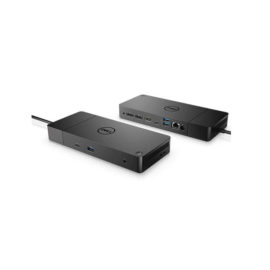
 Boost your PC’s power on the world’s most powerful and first modular dock with a future-ready design.


