Description
Expand your view
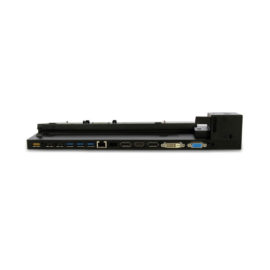
Connect to up to two external displays with HDMI and DisplayPort™ ports.
High-speed networking and collaboration
Access your corporate network with an RJ-45 port. Enjoy seamless web conferencing with a combo headphone and microphone input that supports a headset and microphone capabilities on the connected notebook (if available).
Easy setup
Simply connect the included USB 3.0 cable to your notebook’s USB port, or use the included USB-C™ adapter to attach to your notebook’s USB-C™ port. The onboard memory starts the software installation without rebooting your device

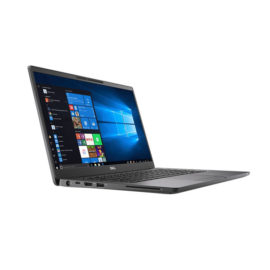
 The world’s smallest 14″ premium business-class notebook



 Simply insert your data-enabled SIM card and share an Internet connection, allowing your family and friends to stay connected.


 The innovative side connector of the ThinkPad Pro Docking Station, designed exclusively for ThinkPad notebooks, provides a driver-free way to connect conveniently and securely to a range of USB accessories and external displays, while rapid charging support and a mirrored power button make it easy to disconnect and go. Designed for large enterprise environments, the ThinkPad Pro Docking Station supports PXE book, wake on LAN, and MAC address pass-through, simplifying asset management for IT managers.