

Description
Overview
The sleek, compact USB SuperDrive.
Everything you need in an optical drive.
Whether you’re at the office or on the road, you can play and burn both CDs and DVDs with the Apple USB SuperDrive. It’s perfect when you want to watch a DVD movie, install software, create backup discs, and more.
Take it anywhere.
Only slightly bigger than a CD case, the Apple USB SuperDrive slips easily into your travel bag when you hit the road and takes up little space on your desk or tray table when you’re working.
The essence of simplicity.
You’ll never have to worry about lost cables with the Apple USB SuperDrive. It connects to your Mac* with a single USB Type-A cable that’s built into the SuperDrive. There’s no separate power adapter, and it works whether your Mac is plugged in or running on battery power.
What’s in the Box
Apple USB SuperDrive with attached USB Type-A Connector cable
User′s Guide
Tech Specs
0.67 in./17mm
5.47 in./139mm
5.47 in./139mm
0.74 lb/335g
Connections
USB-A
System Requirements
Compatible with the following computers:
*The Apple USB SuperDrive is compatible with Mac models from 2008 and later that don’t have a built-in optical drive.*The Apple USB SuperDrive is compatible with Mac models from 2008 and later that don’t have a built-in optical drive.
*MacBook, MacBook Air, and MacBook Pro models with USB-C ports require a USB-C to USB adapter (sold separately) to use Apple USB SuperDrive.

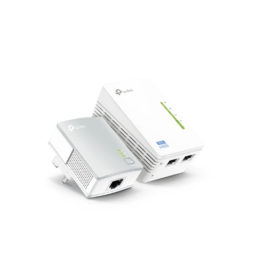
 Better Performance than Wi-Fi Only Range Extenders

 The ThinkPad USB 3.0 Ultra Dock (40A8) is an universal USB docking solution that not only delivers a premium display experience (up to 4k2k resolution via DisplayPort), but also provides quick and easy connection to all the workspace peripherals you use every day. Simply plug in a single USB 3.0 cable into your Lenovo PC for instant access to up to two external monitors, USB ports, Gigabit Ethernet, headphones/speakers, USB printers, scanners, keyboard, mouse and so on for daily use. The Dock can also charge your mobile devices via two USB always power on ports.